A Minimal macOS Terminal Setup
My terminal setup gradually turned into a pile of plugins, themes, and config files that I barely understood or knew where to find them. It worked fine and was pleasant to use, but somehow it felt heavier than it needed to.
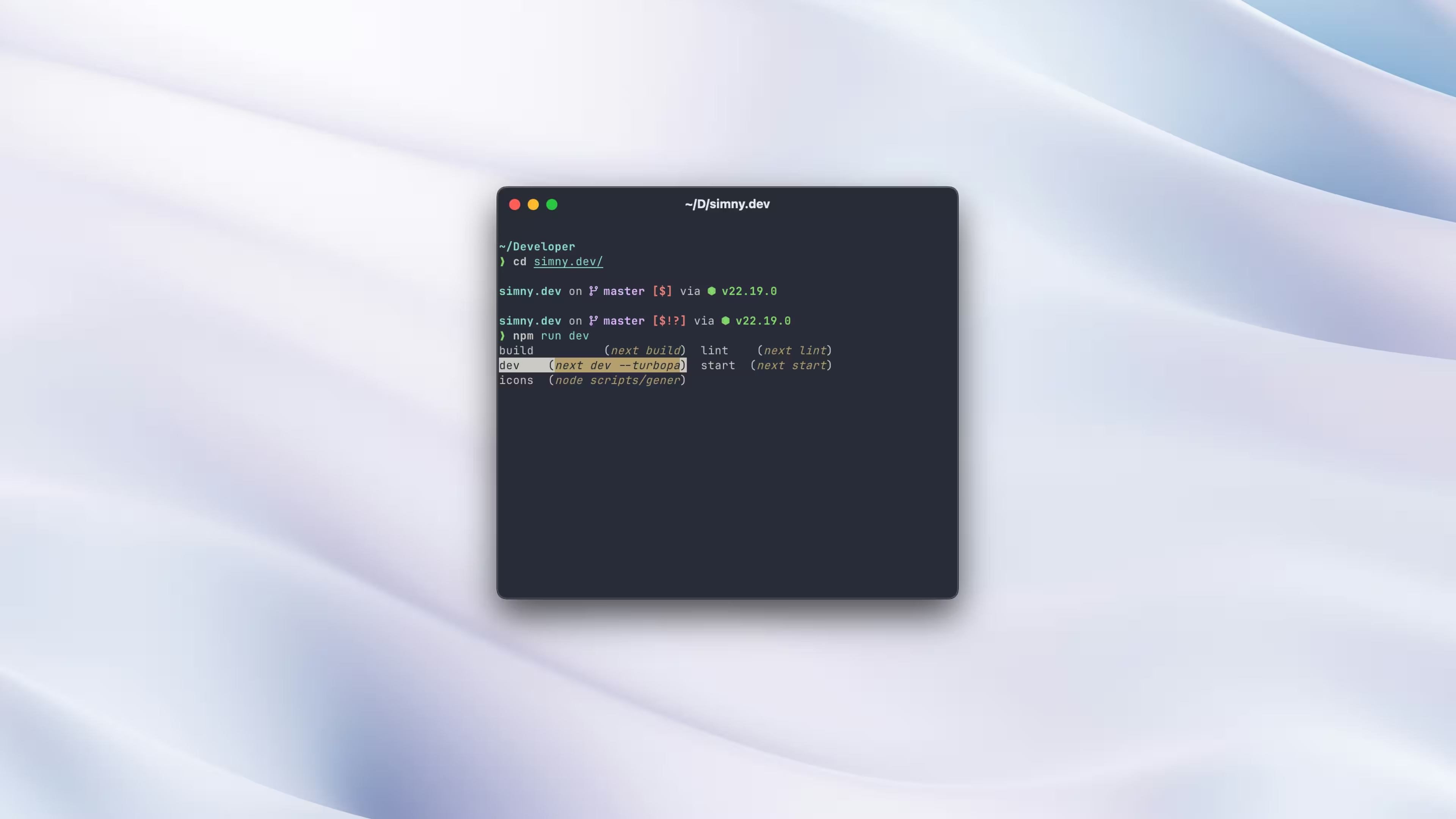
At some point I ditched the goal of endless customization and looked for something fast, clean, and maintainable. I eventually found Ghostty, Fish, and Starship which I felt ticked all the boxes.
Why I landed on this stack
Most terminal setups still revolve around iTerm2 with zsh and oh-my-zsh, or Alacritty with tmux. Both are solid and mature options with extensive community support and I've used variations of both in the past. The reason I landed on Ghostty, Fish, and Starship is simple; all three are good without configuration, and they stay good as you add configuration.
Fish ships with syntax highlighting, autosuggestions, and smart tab completion built in. It ships with the features I used to install plugins for.
Starship is a minimal cross-shell prompt written in Rust. It works consistently and is fast enough that I never notice it, even in large repositories.
Ghostty is a GPU-accelerated terminal emulator with a native feel which already handles tabs and splits, so I don't need tmux unless I specifically want it.
All three tools can get far more complex than what I'm showing here. But the defaults are good enough that you don't have to.
Getting Ghostty installed
brew install --cask ghosttyOpen it and press ⌘ + , to bring up the config. It uses a simple key = value format. Here's mine:
font-family = "CommitMono"
font-size = 12
theme = ayu-mirage

shell-integration-features = no-cursor
cursor-style = bar
cursor-style-blink = false
cursor-click-to-move = true

background-blur = true
background-opacity = 0.95

macos-titlebar-style = tabs
macos-icon = blueprint
None of that is required since the defaults are already usable, feel free to experiment. A few things worth calling out here:
background-blur = truegives the terminal a subtle frosted-glass effect that works nicely with slight opacity.macos-titlebar-style = tabsmerges the title bar into the tab bar and saves a bit of vertical space, it also makes the window cleaner.cursor-click-to-movelets you click anywhere in the terminal to reposition the cursor, which I immediately missed whenever I used a terminal without it.
You can find the full list of options at ghostty.org/docs/config.
Tip
ghostty +list-themespreviews every built-in theme before you commit to one. Ghostty also ships with built-in glyph support, so prompt icons and git symbols render correctly without installing a Nerd Font.
Switching to Fish
brew install fishAdd it to the list of allowed shells, then set it as your default:
echo /opt/homebrew/bin/fish | sudo tee -a /etc/shells
chsh -s /opt/homebrew/bin/fish
If you're on an Intel Mac, replace /opt/homebrew/bin/fish with /usr/local/bin/fish.
Open a new terminal window and you should be in Fish. The first thing you'll probably notice is autosuggestions as you type. It will suggest the last command you ran and you can hit the right arrow to accept it.
My entire interactive ~/.config/fish/config.fish currently looks like this:
if status is-login
    cd Developer
end
It's simply a shortcut for new terminal windows to open directly into my projects folder.
Setting up Starship
brew install starshipAdd the initializer to your Fish config:
echo 'starship init fish | source' >> ~/.config/fish/config.fishReload your shell and you will have a prompt showing:
- current directory
- git branch and status
- relevant language runtime versions
- command duration for slower tasks
The command duration feature sounds minor until you start waiting on builds or test runs several times a day, it's really handy.
If you want a different look, run starship preset --list to see available presets. All of them should work cleanly in Ghostty without additional setup. Then you can pull and apply them with this command:
starship preset pastel-powerline -o ~/.config/starship.tomlMy ~/.config/starship.toml changes are minimal:
[package]
disabled = true

[directory]
truncation_length = 3
truncate_to_repo = true
Disabling the package module removes the version number that appears in Node and Rust projects and the directory module's truncation keeps long paths readable without showing the entire thing. That's genuinely all I've changed but the Starship docs are well-organized if you want to customize things further.
A terminal I stopped thinking about
The entire setup is three brew install commands and a handful of config lines. The shell starts quick and the prompt stays informative without becoming noisy while tab completion works everywhere, without plugins.
If you feel the need for more customisation there's still a lot to explore. Fish, for example, has a full function system and abbr support for expanding abbreviations as you type. I can recommend matchai's dotfiles if you're curious about that. Otherwise the docs are a good place to start.
But none of that is required on day one. What I wanted was a terminal I could stop thinking about, and I think I've found it.